🔑
Password guessing
Bots try thousands of passwords a day on SSH and every web login.
With ARES: one failure slows the address down, repeated failures ban it, the third ban is permanent.

New in 1.6.0: headless agents managed from ARES Central
ARES Server Guardian is intrusion prevention and a web application firewall for Linux servers. It reads the logs your server already writes, recognises password guessing, floods, scans and web attacks, and bans the attacker in the kernel firewall within the same second.
The problem
The attacks are automated and never stop. Watching logs by hand does not scale, and firewall rules typed under pressure are how administrators lock themselves out.
Bots try thousands of passwords a day on SSH and every web login.
With ARES: one failure slows the address down, repeated failures ban it, the third ban is permanent.
Scanners hunt for WordPress holes, .env files, router and VPN exploits.
With ARES: every request is matched against signatures and the attacker is banned on every port.
HTTP floods, connection floods and SYN floods exhaust the server.
With ARES: per-address bans plus temporary rate limits for every source while the flood lasts.
Detection runs on every event as it is written. The event that reaches the threshold is the one that triggers the ban, in nftables, iptables or ufw.
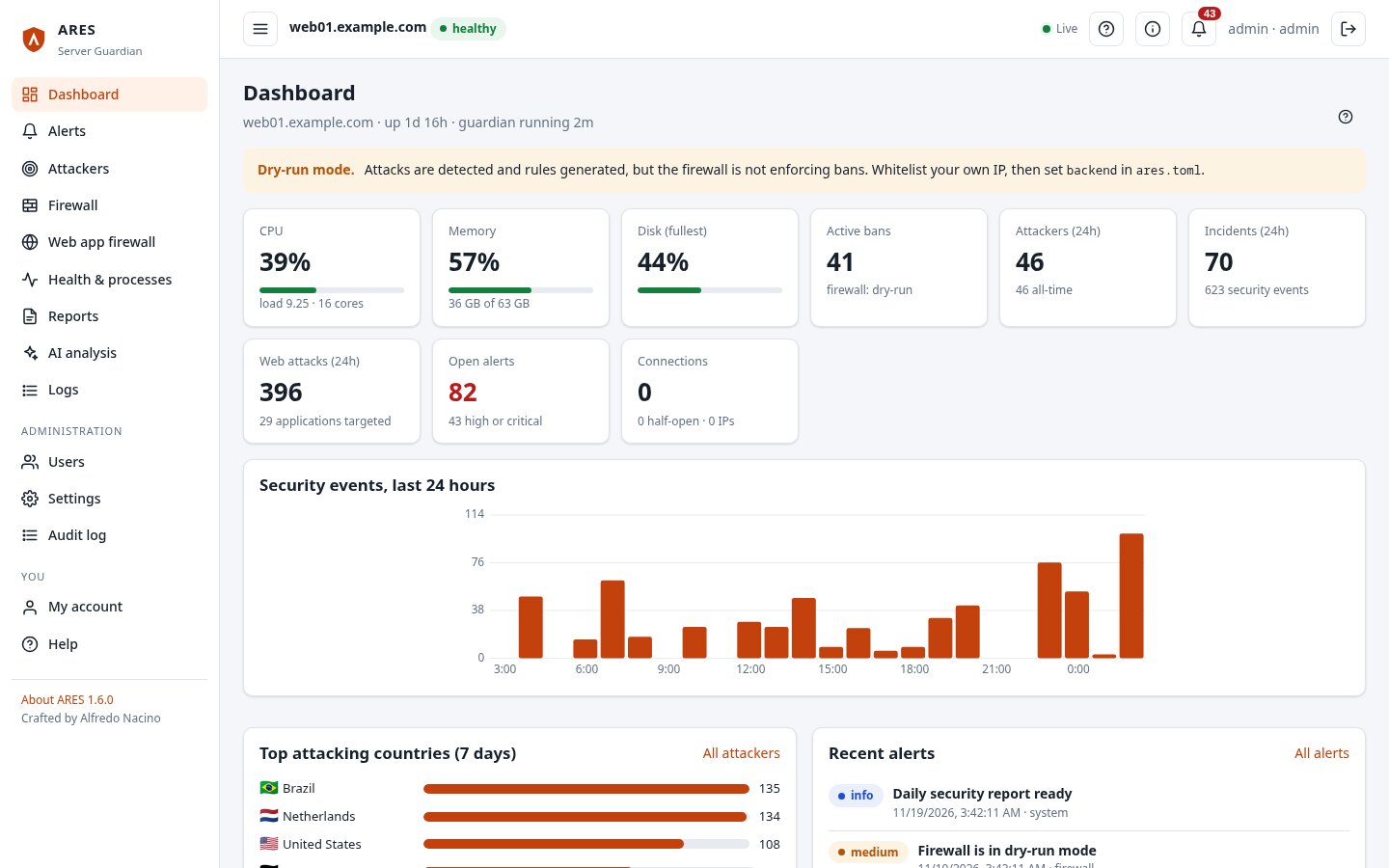
Attackers with country and network, attacked applications per site, incidents, a trace of any address across all logs, and a daily report.
Starts in dry-run. Your whitelist, private addresses and Central are never banned, and one console command removes every rule.
How it works
One command per server, or install-remote.sh for many at once over SSH. Nothing is installed on a server you did not name.
ARES detects attacks and generates the rules without enforcing them. Whitelist the addresses you manage from.
Switch the backend to nftables. Follow every server from its dashboard, or from ARES Central for the whole fleet.
Web application firewall
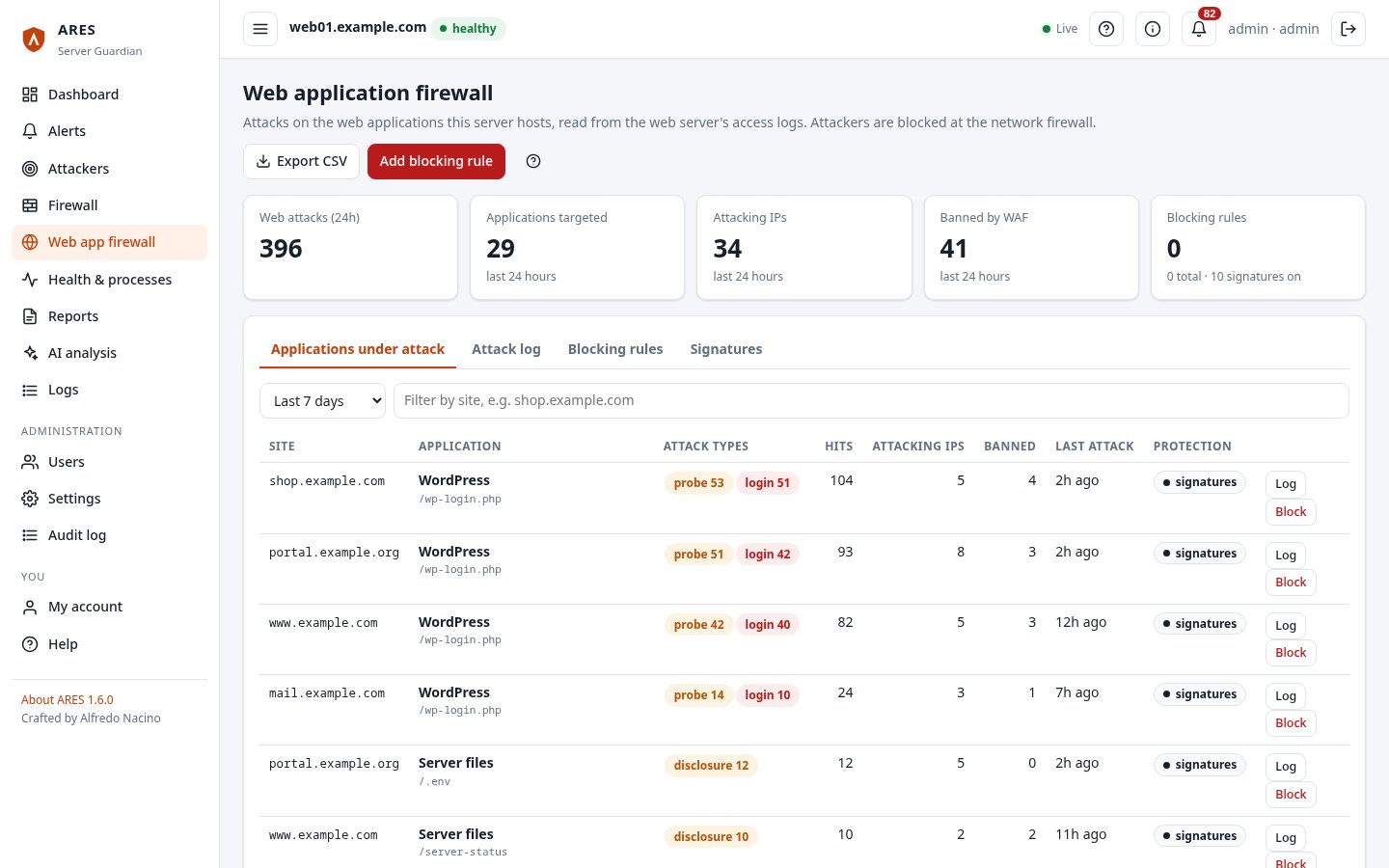
Every request in your web server's access logs is checked against ten signature groups. Instead of answering with an error page, ARES bans the address in the network firewall, so the same attacker cannot move on to SSH or mail.
Works from nginx and Apache access logs in the "combined" format, one site per log file or per virtual host. Nothing is installed in the web server.
Built not to lock you out
ares-guardian flush-firewall, unban and access disable.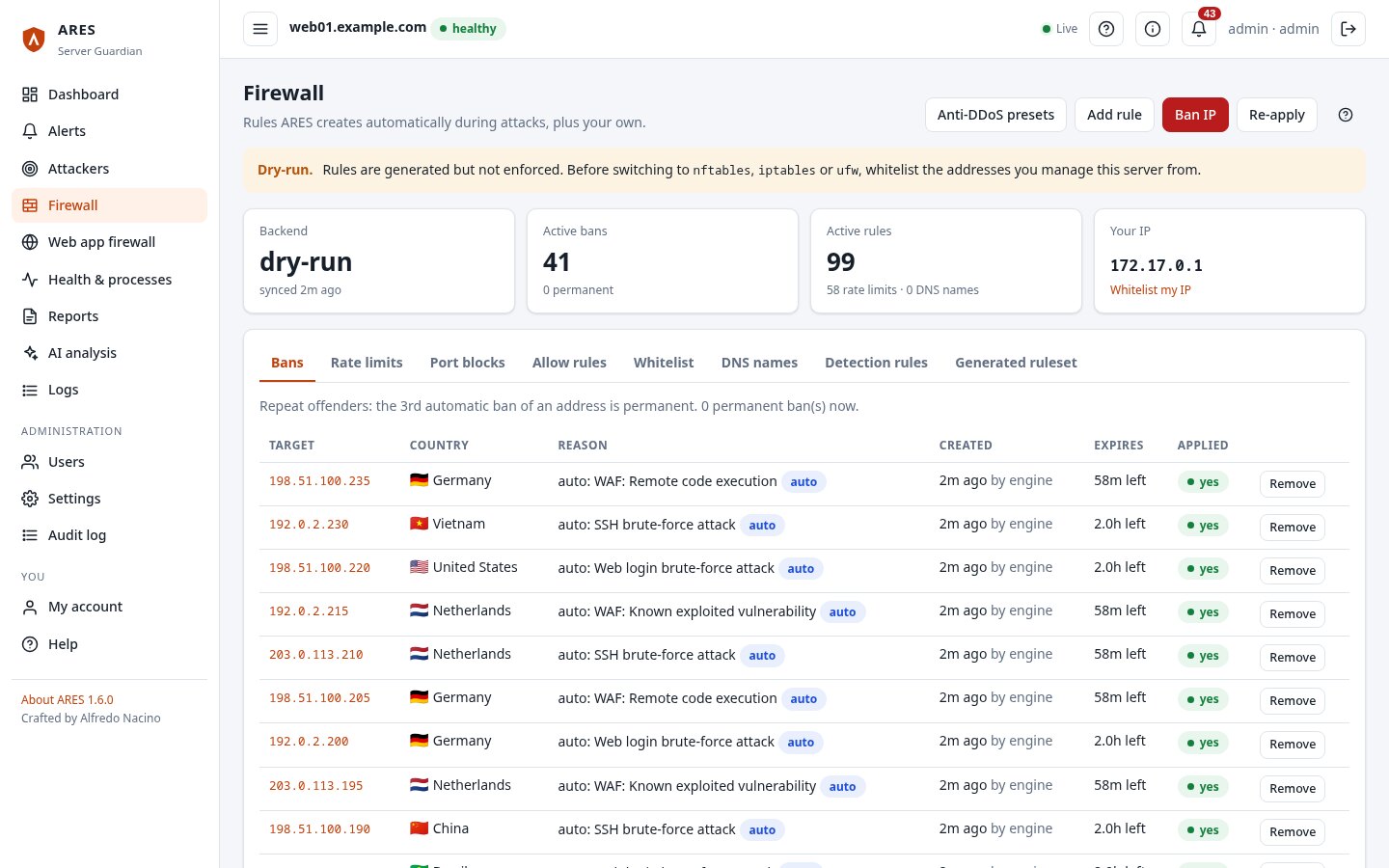
One server or a whole fleet
The web dashboard on its own HTTPS port or behind Apache with Let's Encrypt. Three roles (viewer, operator, administrator) with mandatory 2FA, reports, backups, log forwarding and optional AI analysis.
No dashboard, no users and no open port. The agent detects and blocks attacks exactly like a full install and is seen and managed only in ARES Central.
/etc/ares-guardian/ares.tomlEach server reports its health, alerts, attackers and firewall rules. Central's operators can ban or unban on any server, but only through a fixed list of firewall and alert commands: Central cannot run programs or read files, and a server can be made read-only.
What it stops
The defaults are below and each one can be changed. Bans last 60 minutes and double for every repeat; the third automatic ban of an address is permanent.
5 failures in 5 minutes
10 failures in 5 minutes
600 requests in 1 minute, plus a rate limit for every source
20 suspicious requests in 5 minutes
15 ports in 1 minute
150 open connections from one address
300 half-open connections in total, answered with a SYN rate limit
8 failed dashboard sign-ins in 10 minutes
Product tour
All screenshots show demo data: documentation addresses and example.com sites.
Works with your stack
Compare
Servers are usually protected by a log-based ban script, a WAF module inside the web server, or both. ARES does the work of both in one service and adds the overview.
| ARES Server Guardian | Typical log-ban script | Typical WAF module in the web server | |
|---|---|---|---|
| Bans password guessing on SSH and web logins | ✓ | ✓ | – |
| Web attack signatures, known CVEs included | ✓ | – | ✓ |
| Attacker blocked on every port, not only HTTP | ✓ | ✓ | – |
| Connection, HTTP and SYN flood limits | ✓ | – | – |
| Nothing added to the request path | ✓ | ✓ | – |
| Dashboard with attackers, trace and reports | ✓ | – | – |
| Fleet view with signed remote commands | ✓ | – | – |
| Detection-only (dry-run) mode | ✓ | – | ✓ |
"Typical" describes the usual default setup of each kind of tool, not a particular product.
Get started
A firewall should never reach a whole cluster by accident. The installers touch only the servers you name, ask before they change anything, and start in dry-run.
Unpack the Linux release bundle on the server and run the installer as root.
tar xzf ARES-Server-Guardian-1.6.0-linux.tar.gz
cd ARES-Server-Guardian-1.6.0
sudo ./deploy/install.shFrom your workstation, over SSH, joined to Central in the same step.
scripts/install-remote.sh \
  --central admin@central.example.com \
--tag web web1.example.com web2.example.comWatch the dry-run, whitelist the addresses you manage from, then switch the backend.
[firewall]
backend = "nftables"   # was "dry-run"

sudo systemctl restart ares-guardian
Documents
What it is, the problem, key figures, security and delivery, in 5 pages.
PDFEvery feature from the user's point of view, with screenshots.
PDFContext, building blocks, data, security and deployment.
PDFThe drawing set, with exact ports, paths and limits.
PDFEvery version from 1.0.0 to 1.6.0.
PPTX11 slides with speaker notes.
Questions
No. It reads the access logs after the request has been served and changes only the kernel firewall. There is nothing in the request path.
Your whitelist, private and loopback addresses and ARES Central are never banned. If something still goes wrong, sudo ares-guardian flush-firewall on the console removes every ARES rule at once.
ARES protects the server it runs on. For a network, install it on each server (as agents, if you like) and see them together in ARES Central.
Yes. A full install is complete on its own. Central adds the fleet view and remote firewall commands. An agent keeps blocking attacks when Central is unreachable; you see them once the link returns.
No. AI analysis is off by default. When turned on, it assesses the recorded attacks and recommends; it never changes a rule.
An attack that writes no log line, such as a flood at the TLS level, is seen only through connection counts. Long-lived API tokens are not implemented yet: the API uses sign-in with 2FA.
The demo runs the full dashboard with sample data and the firewall in dry-run.